01
IMAGE STUDIO
Find your frame.
Choose a model, add references when it supports them, and shape the result with a prompt and Shot Builder.
 DREAMFORGEIMAGE · VIDEO · STUDIOMAC VERSION
Take the tour
DREAMFORGEIMAGE · VIDEO · STUDIOMAC VERSION
Take the tour
MADE FOR THE MAC · BUILT FOR WHAT'S NEXT
One place to imagine a frame, direct its motion, and keep every creation close. DreamForge turns your Mac into an image and video studio.
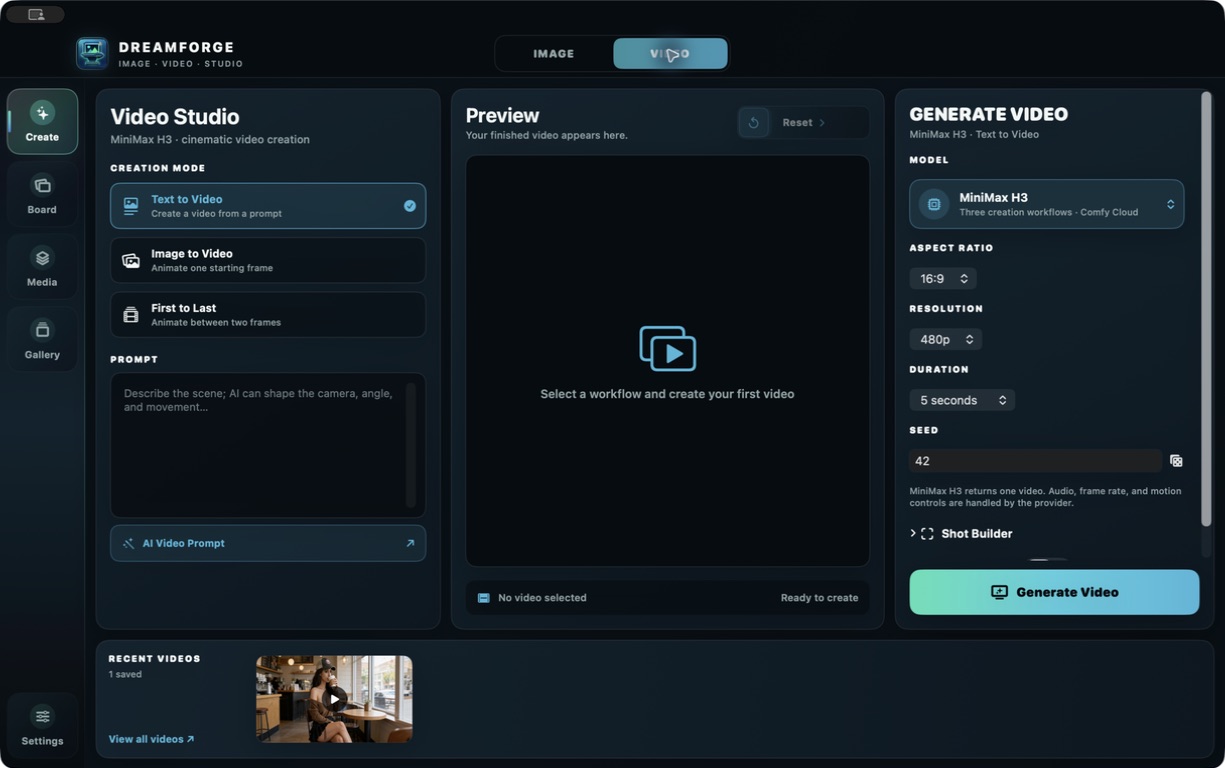
01 / THE STUDIO
Stay with the idea as it evolves. Make the still, shape the motion, and return to the work you love without losing your place.
Choose a model, add references when it supports them, and shape the result with a prompt and Shot Builder.
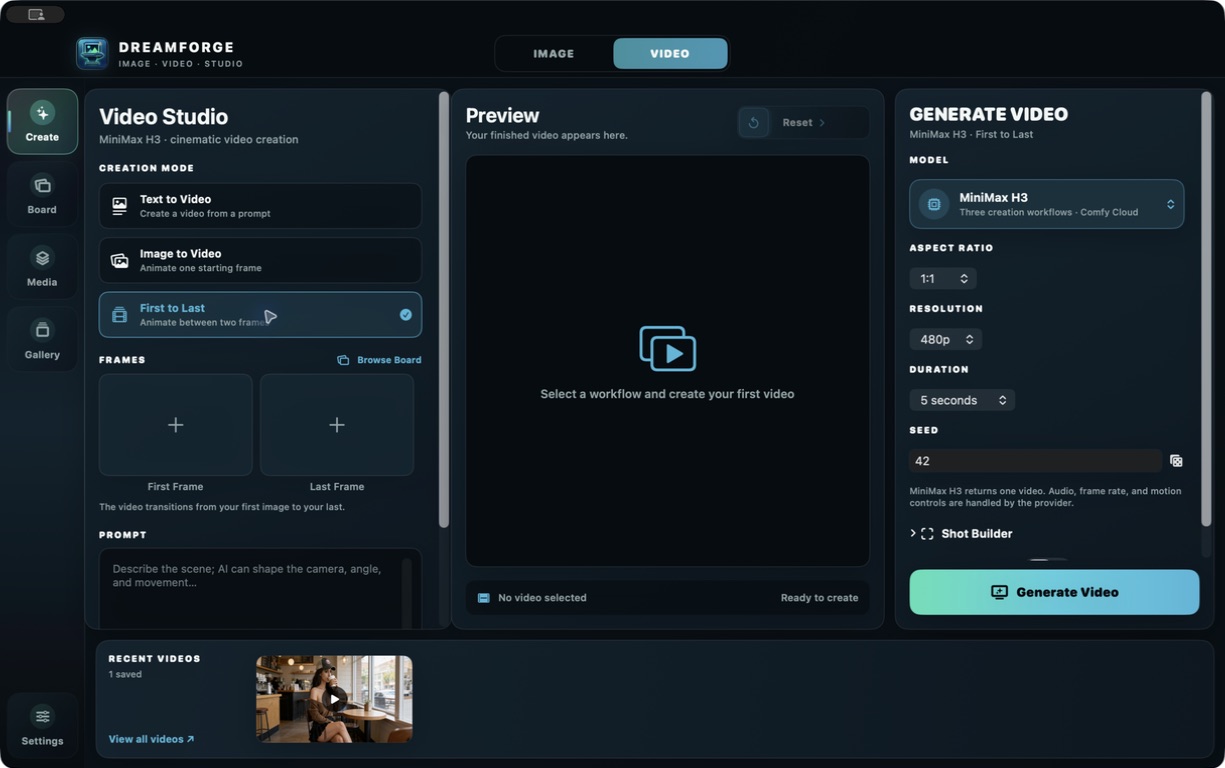
Start from text, animate an image, set first and last frames, or use a model’s video-reference workflows.
02 / BUILT AROUND YOUR PROCESS
AI prompts help you find the words. Shot Builder gives you a deliberate visual direction. Media, Board, and Gallery keep your creations ready for the next step.
Follow the creative flow03 / YOUR MODEL LINEUP
Explore nine image models and five video families, each with its own strengths, settings, and ways to begin.
See the model lineupEVERY GREAT SCENE STARTS SOMEWHERE
Get the lay of the studio, then make something only you could imagine.
Learn the workflow